 Block
Fake Video Call Scams: Why You Should Never Install the "Zoom Fix"
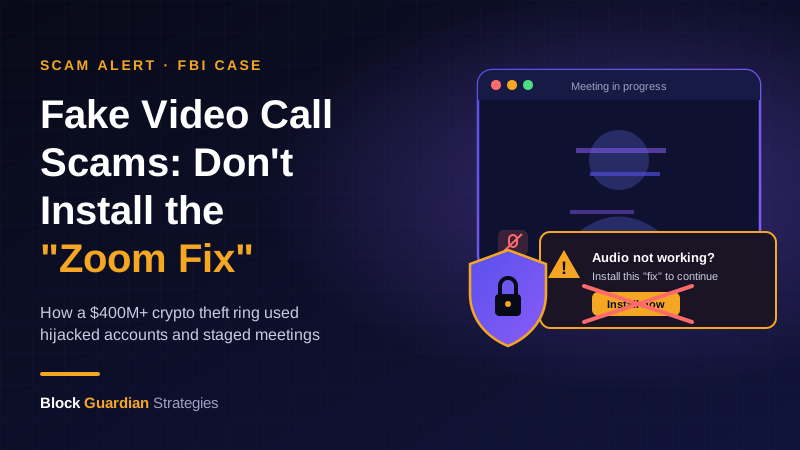
Picture this: a friend you know messages you on Telegram and asks to hop on a quick video call. You click the link, the call starts, and you can see them on screen. Then your audio cuts out. "Ugh, Zoom's acting up," they say. "Install this quick fix and it'll work."
That "fix" is the whole scam. On November 12, the U.S. Department of Justice announced it had disrupted a North Korean hacking operation nicknamed FaceStealer, which used exactly this trick to steal more than $400 million in crypto over about 18 months. This kind of fake video call scam is one of the sneakiest out there, because almost every step looks normal. Here's how it works and how to make sure it never works on you.
How the FaceStealer Fake Video Call Scam Works
According to the DOJ case and security researchers who studied it, the scam usually follows the same pattern:
- A familiar face reaches out. The message comes from a real account that hackers have already taken over: a contact on Telegram, LinkedIn, Slack, or Discord. Because it's someone you know, your guard is down.
- You get a meeting link. Often it's a scheduling link that leads to what looks like a Zoom or Microsoft Teams call. Some links point to look-alike websites that only imitate the real thing.
- The "person" on screen isn't live. The attackers play recorded webcam footage of earlier victims, and the DOJ says they also used deepfakes of well-known crypto figures. Meanwhile, they record your webcam to use on the next victim.
- Something "breaks." They fake an audio or connection problem and offer a fix: a plugin, an "update," or a command to paste into your computer.
- The fix is malware. Once it runs, it can log your keystrokes, capture your screen, steal browser logins, and empty crypto wallets.
The cruelest part is how it spreads. Each new victim's hijacked accounts and webcam recordings become bait for their friends. The FBI seized more than 900 webcam videos of victims as part of the takedown.
Why This Scam Fools Smart People
Most of us were taught to watch for strangers, bad grammar, and weird links. FaceStealer skips all of that. The message comes from someone you trust, the meeting looks like an ordinary call, and the request sounds like everyday tech support. Who hasn't had a video call where the sound didn't work?
It also plays on a habit we've all built: "seeing is believing." That habit is now out of date. If a face on a screen can be a recording or an AI deepfake, then a video call is no longer proof that you're talking to the real person.
The main targets so far have been people who work in crypto and software developers. But the toolkit works on anyone with a crypto wallet on their computer, and stolen browser logins can let attackers into email and exchange accounts too, sometimes without needing your password at all.
How to Protect Yourself From Fake Video Call Scams
The good news: this scam has one big weak spot. It needs you to install or run something. Refuse that one step and it falls apart.
- Never install anything because someone on a call asked you to. Real Zoom and Teams updates come from the app itself or the official website, not from a link a caller sends you. If the audio breaks, hang up and reschedule.
- Never paste commands into your computer for someone else. If anyone asks you to open Terminal, PowerShell, or a "run" box and paste in text, stop. That's how the malware gets in.
- Verify through a second channel. If a friend or coworker asks for a call out of the blue, check with them a different way: a phone call, a text to a number you already have, or in person.
- Join meetings only through the official app. Look closely at the web address. One wrong letter in "zoom" or "teams" is a giveaway.
- Keep crypto off your everyday computer when you can. A hardware wallet keeps your private keys off the device that's doing your video calls and web browsing, so malware has a much harder time reaching them. Always read what you're approving on the device's own screen.
- Use strong two-factor authentication. An authenticator app or a physical security key beats text-message codes for your email and exchange accounts.
What to Do If You Already Clicked
If you installed a "fix" during a call, act fast. Disconnect that computer from the internet. From a different, clean device, change your passwords, starting with email and any exchange accounts, and sign out of all sessions. If crypto was in a wallet on that computer, move it to a brand-new wallet created on a clean device, since the old recovery phrase may be exposed. Then report it to the FBI at ic3.gov and warn your contacts, because your accounts may be used to target them next.
The Takeaway: A Familiar Face Isn't Proof
The FaceStealer takedown is a win, but the playbook is out there, and copycats will use it. The lesson of every fake video call scam is simple: no real meeting ever requires you to install something a caller hands you. If the audio breaks, hang up. If a friend reaches out unexpectedly, check in another way. That one small habit protects your crypto, your accounts, and the people in your contact list.
Sources: SOCRadar · Decrypt · FBI IC3
📩 Stay Ahead of the Next Scam
Get breakdowns like this one — free, straight to your inbox, whenever a new scam or safety risk shows up. No spam, unsubscribe anytime.
#FakeVideoCallScam #CryptoSecurity #CryptoScams #ScamAlert #Deepfake #Malware #FaceStealer #SocialEngineering #WalletSecurity #CryptoSafety #CryptoEducation #BlockGuardian
⚠️ Disclaimer: This content is for educational and entertainment purposes only and does not constitute financial advice. Always do your own research before making any financial decisions.