Crypto Safety
This week, headlines started flying that Ledger — one of the most trusted hardware wallet brands in crypto — had been hacked. Ledger says that's not what happened. A rival wallet maker recreated an already-patched bug in a lab, not a live attack on real users. But buried inside the back-and-forth is a genuinely useful lesson about how hardware wallets work, what "blind signing" means, and why you should never approve a transaction on autopilot — no matter which brand of wallet you use.
Let's separate the noise from the actual takeaway, because the habit this story points to could save you a lot more than a scary headline.
A security team from a competing hardware wallet company, OneKey, recreated a flaw in an older version of Ledger's Ethereum app in a controlled lab setting. The bug was a timing issue — technically a race condition — between what your device shows on screen and what it actually signs. In theory, a compromised computer or malicious wallet app could sneak in altered transaction details after you've already reviewed the "real" transaction, so the device ends up signing something different from what you approved.
Ledger's response: this exact bug was already found through their own security process and fixed in an app update released weeks before OneKey published anything. No funds were lost, and no evidence has surfaced of anyone exploiting it in the wild. Ledger's CTO pushed back hard on calling it a "hack" at all, since reproducing a patched bug in a lab isn't the same as breaching live users. Both things can be true at once: nobody's crypto is missing, and the underlying weakness was real.
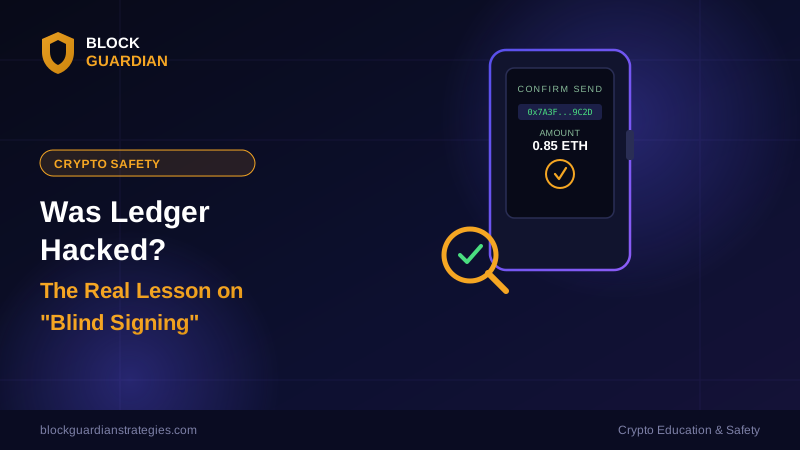
Here's the part worth understanding regardless of which wallet you own. Every hardware wallet transaction works the same basic way: your computer or phone prepares the transaction, sends it to the device, and the device shows you the details on its own small screen — the amount, the destination address, what you're actually approving — before you physically press a button to sign it.
"Blind signing" is when you approve that transaction without actually reading what's on the device screen. Maybe it's late, maybe you're in a hurry, maybe you've clicked "confirm" a hundred times before without incident. Whatever the reason, you're trusting that what your computer told you matches what you're signing — instead of verifying it yourself on the one screen a hacker can't remotely tamper with as easily as your browser. That gap between "what I think I'm signing" and "what I'm actually signing" is exactly what this whole Ledger story lives in.
It's tempting to read this story as "Ledger bad, buy a different brand instead." That misses the point. Every hardware wallet on the market relies on the same trust model: your device's screen is supposed to be the one honest source of truth in an otherwise untrusted chain of software. Bugs like this one get found, disclosed, and patched across every major wallet brand on a regular basis — that's actually the system working as intended. The real risk isn't which logo is on your device. It's whether you're in the habit of actually reading that screen before you approve anything, on any wallet, ever.
None of this requires panic or a new wallet. A few habits cover almost all of your real risk:
Read your device screen every single time. Before you press confirm, check the destination address and the amount on your hardware wallet's own screen — not just the popup on your computer or phone. If they don't match, don't sign.
Keep your wallet's firmware and companion apps updated. Patches like the one Ledger shipped only protect you if you actually install them. Set a monthly reminder to check for updates if your device doesn't prompt you automatically.
Be extra careful with unfamiliar dApps and "urgent" transactions. Approval phishing and drainer scams thrive on rushed clicks. Slow down for anything you didn't initiate yourself.
Don't let brand loyalty replace good habits. Switching hardware wallet brands after a scare feels productive, but the habit of verifying every transaction protects you no matter what device is in your hand.
Ignore the panic headlines, but not the underlying lesson. "Ledger hacked" made for a scary tweet. "Always read your device screen before signing" is the boring, unglamorous habit that actually keeps your funds safe.
Nobody's crypto was stolen in this story, and Ledger has a legitimate case that "hack" is the wrong word for a patched bug reproduced in a lab. But the underlying mechanism — your device screen versus what's actually being signed — is the single most important thing to understand about hardware wallet security. Make reading that screen a non-negotiable habit, and stories like this one become interesting news instead of a reason to worry.
If you want to go deeper on this, transaction verification and key management are covered in the Advanced Wallet Security & Key Management lesson inside our Tier 3 course.
#CryptoSafety #HardwareWallet #Ledger #BlindSigning #WalletSecurity #CryptoScams #CryptoEducation #ScamAwareness #BlockchainSecurity #StaySafeCrypto #BlockGuardian
📩 Stay Ahead of the Next Scam
Get breakdowns like this one — free, straight to your inbox, whenever a new scam or safety risk shows up. No spam, unsubscribe anytime.
⚠️ Disclaimer: This content is for educational and entertainment purposes only and does not constitute financial advice. Always do your own research before making any financial decisions.